Running a household means endless small decisions: who is collecting whom, what is for dinner, which forms are due. Good family software lightens that load without adding another inbox. Kreatorz offers family app development and AI parenting app development for companies building products in this space — organisers, parenting tools, co-parenting platforms, safety apps and care apps for older relatives.
Family products often involve children's data, location and sensitive details about health and relationships. We treat privacy, consent and child safety as core product requirements, and design AI features to support parents' judgement, never to replace it.
The family app development problems we help solve
- Coordination across several people with different devices, schedules and levels of tech confidence.
- Shared information that must stay private within the family, and sometimes between separated households.
- Mixed ages in one product — adults, teenagers, younger children and older relatives each need a different experience.
- Trust — families will only rely on an app that is dependable, respectful of their data and honest about what it does.
Family organiser app development
Shared calendars and scheduling
Colour-coded family calendars that sync with Google and Apple calendars, with event ownership, pick-up and drop-off assignments, and reminders that reach the right person at the right time.
Lists, chores and rewards
Shopping lists, to-do lists and chore charts with age-appropriate rewards. Children see simple, encouraging interfaces; parents decide what counts as done. For the household shop, GrocEase pairs monthly grocery lists and a shopping checklist with pantry tracking and expiry reminders, while Revelita gives couples shared task management and a shared calendar.
Routines and reminders
Morning, bedtime and homework routines with visual steps for younger children, plus gentle nudges that avoid creating anxiety or dependence on notifications.
AI family assistant apps
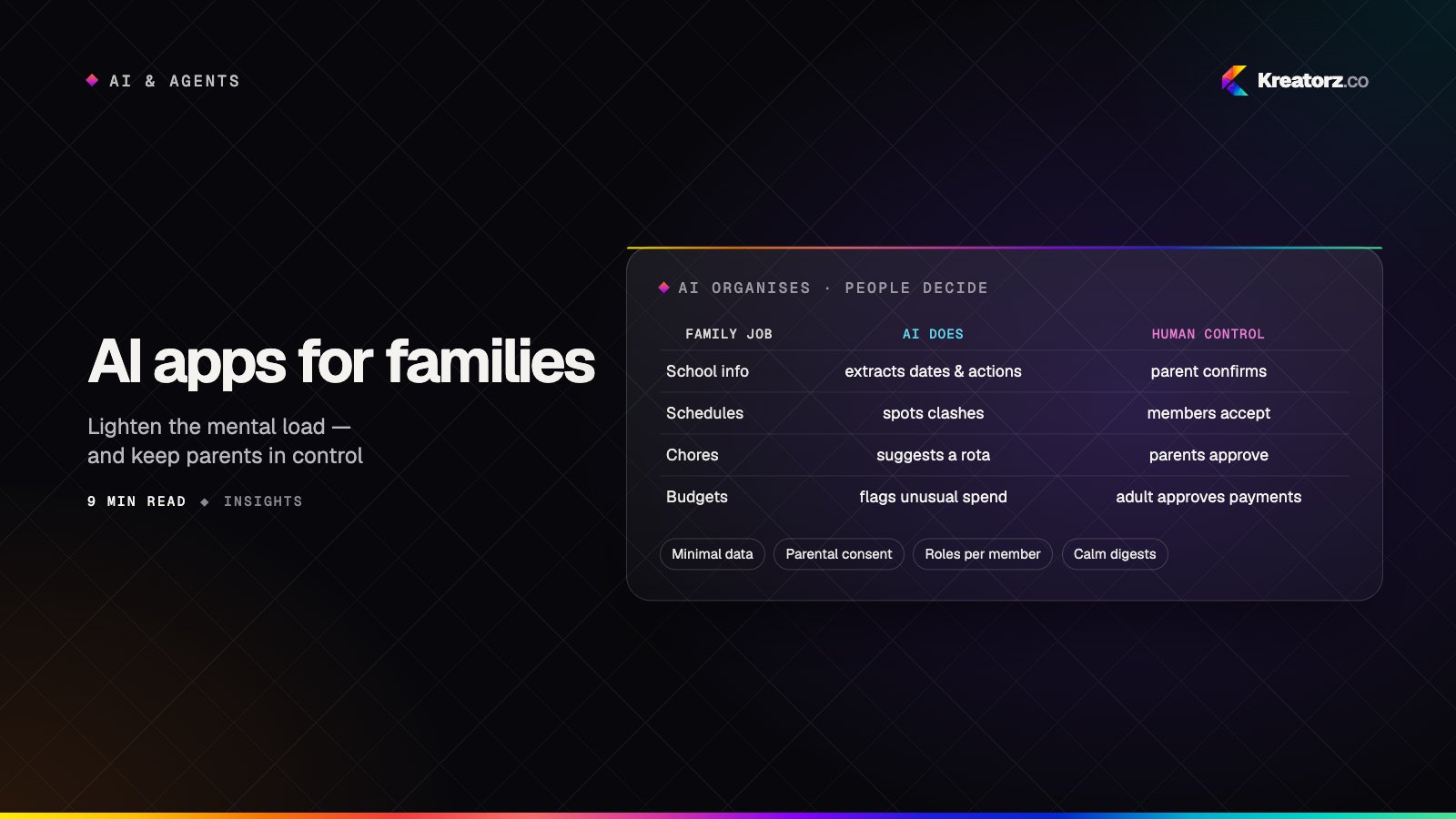
AI can take real friction out of family life when it is designed carefully. Relay, an AI-powered family management platform we built, shows what this looks like in practice: an AI family assistant turns emails, messages and reminders into shared, actionable plans, alongside a smart family calendar, task and responsibility management, a family vault for documents, and "village" collaboration with the wider circle of people who help — keeping school information, schedules, documents and payments in one place.
Family money is another area where AI can help parents stay in charge. Checkpoint AI combines AI purchase scanning, a smart blocklist and temporary card unlocks with family spending management, receipt verification and rewards for responsible purchasing.
These are the features we most often build into an AI family assistant app:
- Meal planning — weekly plans built around dietary needs, allergies, budget and what is already in the cupboard, plus a shopping list.
- Schedule summaries — a short morning briefing of who needs to be where, and an alert when two commitments clash.
- Homework support — explanations and guided questions that help a child understand a problem, rather than simply handing over answers, with parental controls over availability.
- Routine building — suggested routines based on the family's goals, which parents can edit and approve.
- Smart capture — turning a photographed school letter into calendar events and to-dos.
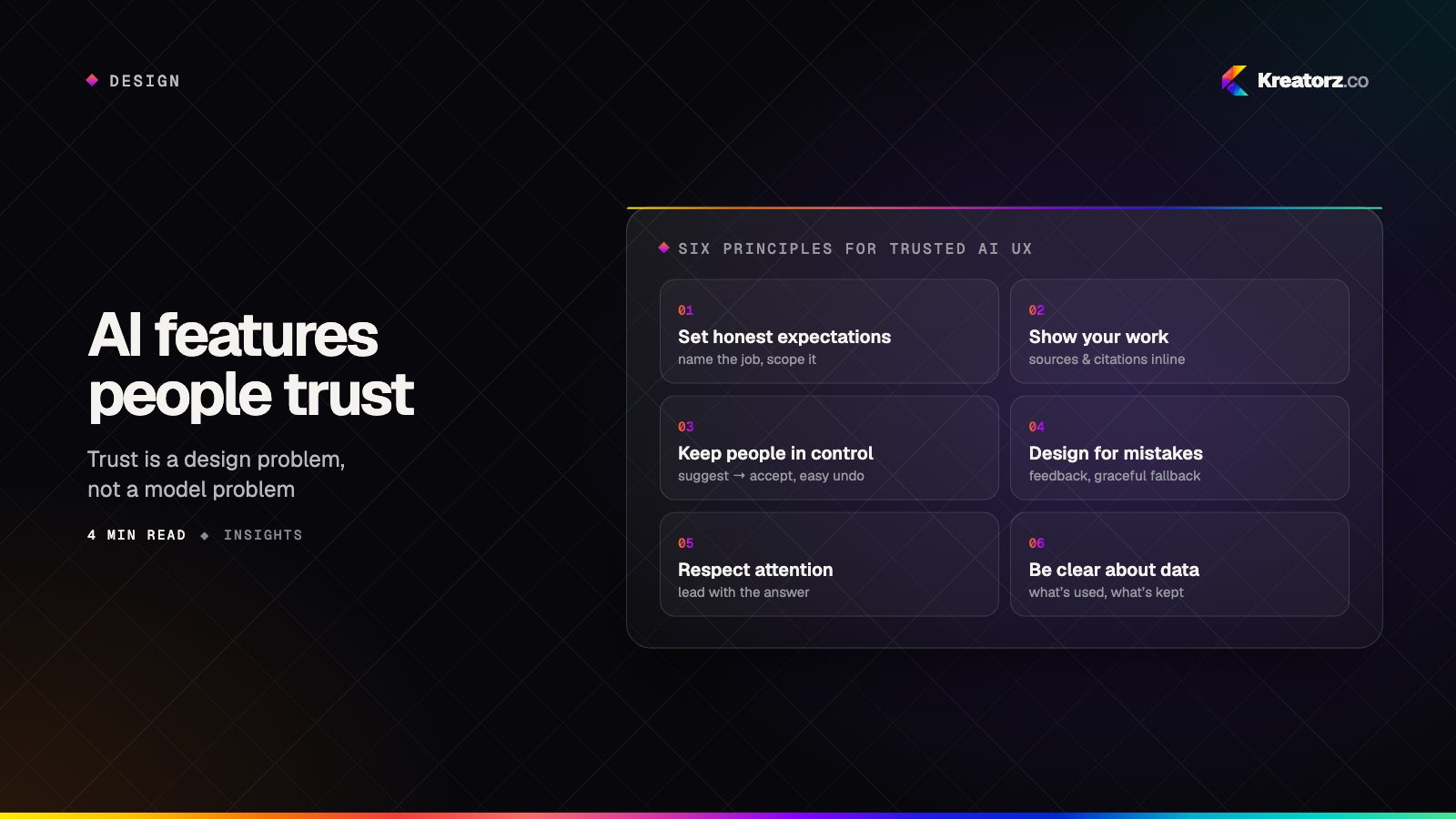
We build these features with clear boundaries. The assistant shows its reasoning or sources where possible, asks for confirmation before acting, avoids medical, legal or psychological advice beyond general information, and applies stricter content filters for younger users. Our articles on designing AI features people trust and RAG done right explain the techniques, and our AI agent development team handles assistants that take multi-step actions.
Family safety app development
Location sharing can bring real peace of mind, but it can also be misused. We design family safety apps around consent and transparency:
- Visible sharing — anyone sharing their location can always see that they are doing so and with whom.
- Consent appropriate to age — older children and teenagers are involved in decisions about what is shared, with parental controls suited to younger children.
- Purposeful features — arrival and departure alerts for agreed places, or check-in buttons, rather than constant surveillance by default.
- Protection against misuse — safeguards that make covert tracking of another adult difficult, and clear ways to stop sharing.
- Minimal retention — location history kept only as long as it is useful, with easy deletion.
Co-parenting app development
Separated parents need to coordinate without unnecessary conflict. Co-parenting apps can include custody calendars, handover notes, expense splitting and a reliable message history. Tone-aware writing assistance can suggest calmer phrasing before a message is sent, while leaving the final wording to the parent. Permissions are designed so that each household controls its own private information.
Elderly care app development
Care apps for older relatives can combine medication reminders, appointments, simple video calling, wellbeing check-ins and a shared view for siblings or carers. Interfaces need large text, high contrast, minimal steps and forgiving interactions — tested with the people who will use them.
Privacy and child data protection
Laws such as COPPA in the United States, the GDPR and its provisions for children's data in Europe and the UK, and the UK's Age Appropriate Design Code set strict expectations for products used by children. We are not a law firm and you should take legal advice for your markets, but we build products that make compliance achievable:
- Verifiable parental consent flows and age-appropriate account structures
- Data minimisation — collecting only what each feature genuinely needs
- High-privacy defaults for children's accounts
- No behavioural advertising or third-party tracking in children's experiences
- Encryption in transit and at rest, role-based access and audit logs
- Easy export and deletion of family data
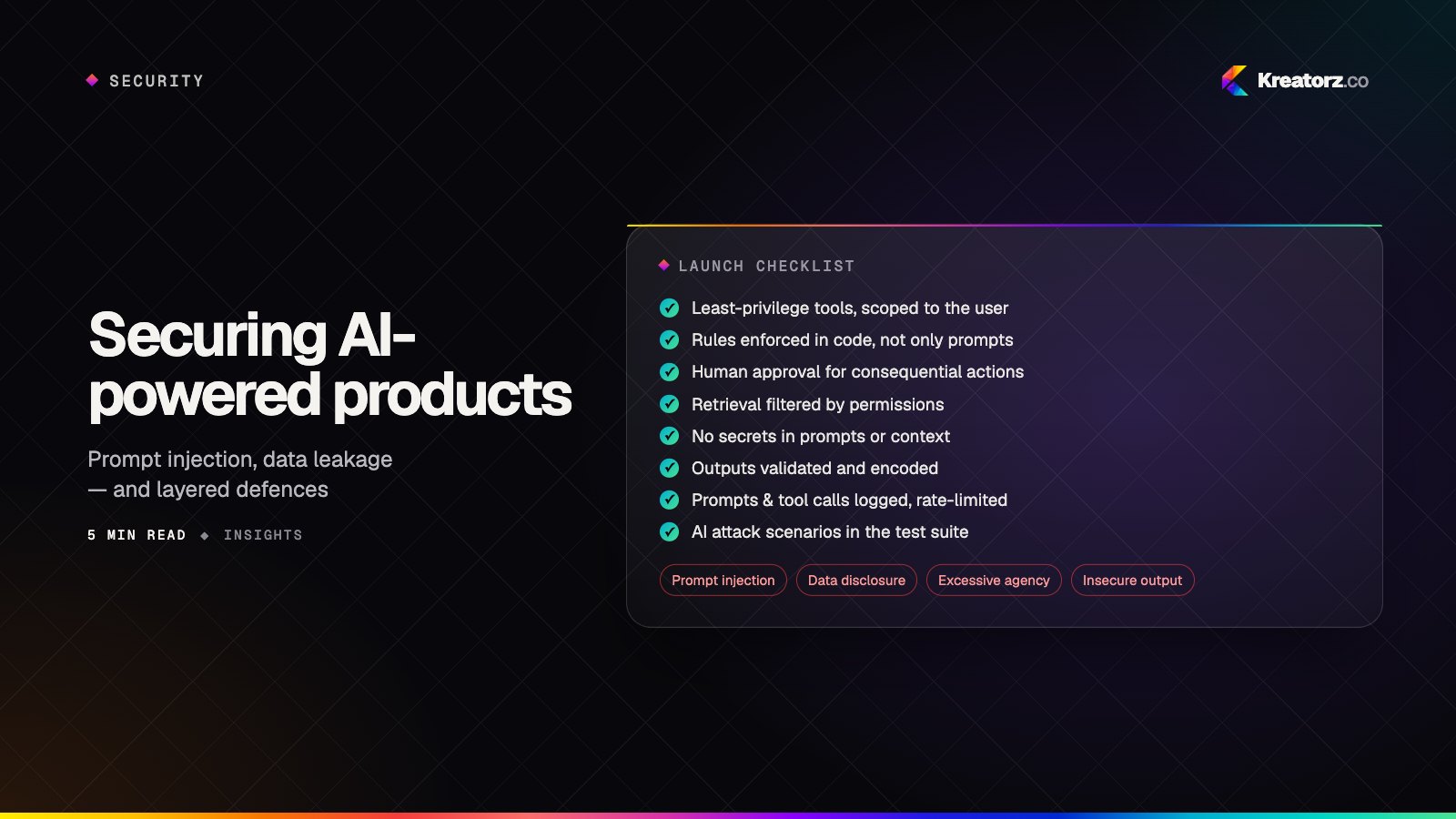
- Careful vetting of every SDK and AI provider that touches user data — see securing AI products
Subscriptions and business models
Family apps are usually funded by a family subscription covering every household member. We implement App Store and Google Play subscriptions, free trials, tiered plans and web billing where appropriate — with clear cancellation and no dark patterns.
How we build family apps
- Discovery — the family types you serve, their daily pain points, your markets and the regulations that apply.
- Safety and privacy design — data mapping, consent flows, age bands and risk review before interface design begins.
- UX for every age — separate journeys for parents, children, teenagers and older relatives, tested with real users.
- Build — cross-platform with Flutter or React Native in most cases, or native where device features demand it, with weekly demos.
- AI integration — assistants grounded in the family's own data, with guardrails, evaluation and cost controls. See AI app development.
- Testing — functional, accessibility, security and content-safety testing.
- Launch and care — store submission, including family and children's category rules, followed by ongoing improvements.
Why Kreatorz for family app development
- Responsible AI expertise. Recognised with the Global AI Impact Award (Global Image Awards Middle East, Riyadh 2026), we apply AI where it helps and add guardrails where it could harm.
- Consumer app experience. We build engaging mobile products with personalisation, progress tracking and community, such as Relay for families and the fitness companion Regain.
- Full product team. Strategy, design, mobile, backend, AI, security and QA together.
- Openness. Weekly demos and a shared backlog throughout.
- Your product, your data. Code, designs and accounts are yours from day one.
- Worldwide. Offices in the United States, Canada and Pakistan. Start a conversation.