iPhone users notice the details: the way a sheet springs into place, how text scales with their accessibility settings, whether the app asks for their location only when it truly needs it. Kreatorz is an iOS app development company that builds natively in Swift and SwiftUI so your product meets those expectations on every Apple device it runs on.
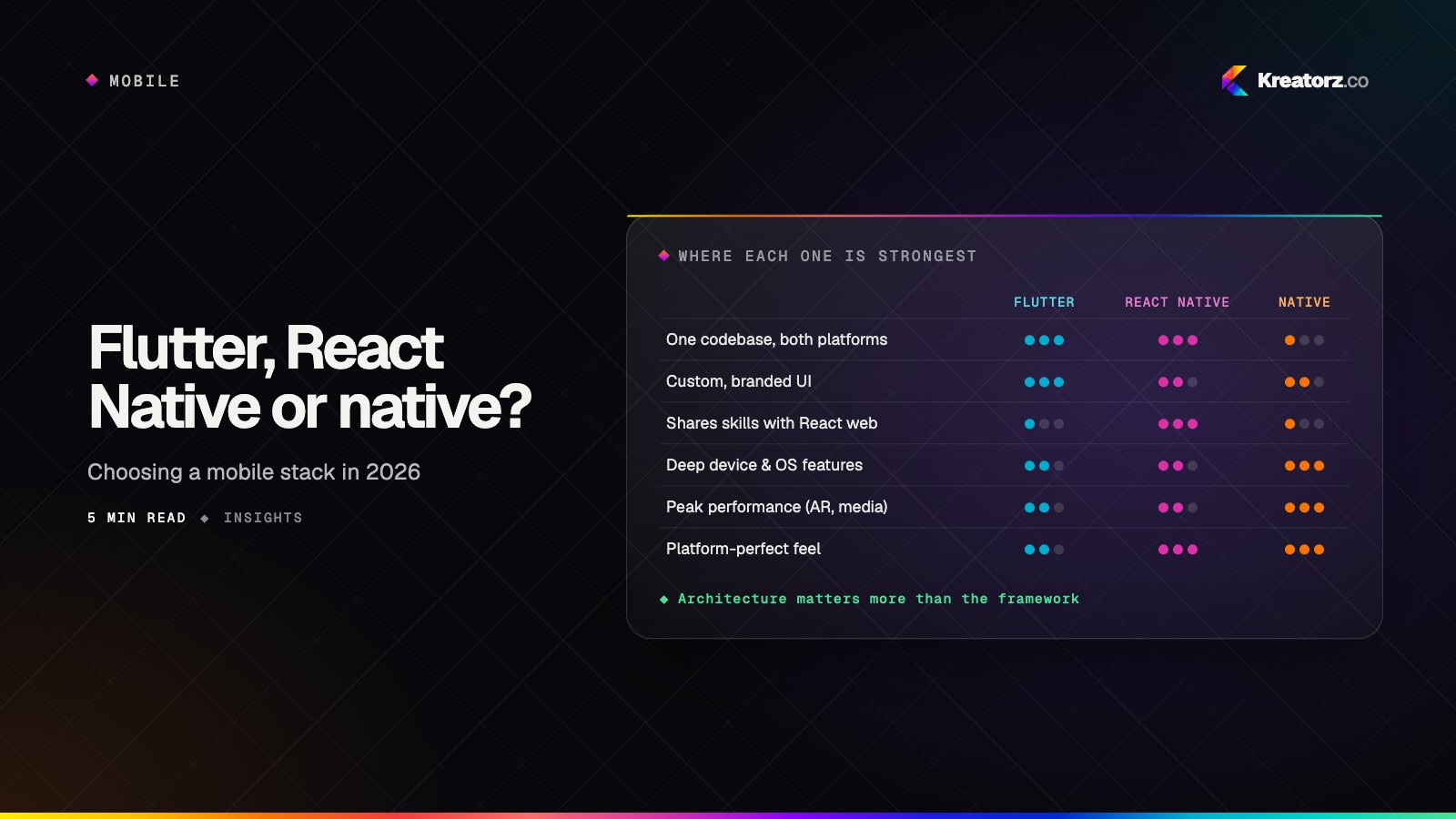
Native iOS is not always the right call — if you need Android at the same time, a Flutter or React Native app may get you there faster. But when your audience lives on Apple devices, or your product depends on Apple's frameworks, native development gives you the most control, the best performance and immediate access to every new capability Apple announces.
When native iOS app development is the right choice
- Your users are mostly on iPhone. Many premium consumer, health and professional audiences skew heavily towards Apple.
- You depend on Apple frameworks. HealthKit, HomeKit, CarPlay, ARKit, Live Activities and App Intents are easiest and most reliable to use natively.
- You want to support the whole Apple ecosystem. A shared Swift codebase can reach iPhone, iPad, Apple Watch and Mac with platform-appropriate interfaces.
- Performance is part of the product. Camera pipelines, real-time audio, complex gestures and on-device machine learning benefit from direct access to the system.
- You need new iOS features on release day. Native teams can adopt Apple's latest APIs as soon as they ship.
iPhone app development with Swift and SwiftUI
SwiftUI is our default for new interfaces: it is declarative, quick to iterate on and adapts naturally to Dynamic Type, Dark Mode and different screen sizes. Where a screen needs fine-grained control — a custom camera view or a complex collection layout — we drop into UIKit without hesitation. Under the interface we use Swift Concurrency for clear, safe asynchronous code, and a modular architecture that keeps features testable and independent.
Swift app development practices we follow
- Feature modules managed with Swift Package Manager, so teams can work in parallel without stepping on each other
- Unit and UI tests in XCTest and Swift Testing, run automatically on every change
- Xcode Cloud or Fastlane pipelines for signed builds, TestFlight distribution and App Store releases
- Crash reporting and performance metrics wired in from the first beta
Apple platform features we build with
Health and fitness
HealthKit integrations that read and write workouts, steps or vitals with explicit user permission, plus workout sessions on Apple Watch.
Payments and identity
Apple Pay for physical goods and services, StoreKit for subscriptions and in-app purchases, and Sign in with Apple for quick, private account creation.
Widgets and Live Activities
Home Screen and Lock Screen widgets, Live Activities and Dynamic Island updates that bring timely information to users without opening the app.
Augmented reality and vision
ARKit and RealityKit for placing objects in the real world, and the Vision framework for text recognition, object detection and image analysis on the device.
Siri, Shortcuts and App Intents
Exposing your app's key actions to Siri, Spotlight and the Shortcuts app so users can complete tasks in a sentence.
iPad and Apple Watch
iPad layouts that make proper use of the larger canvas, multitasking and Apple Pencil; watchOS companions designed for glances and quick actions rather than shrunken phone screens.
Privacy and App Store review
Apple treats privacy as a product feature, and App Store review enforces it. We plan for that from the start rather than discovering it at submission:
- Privacy nutrition labels prepared from an audit of what data the app and its SDKs actually collect
- App Tracking Transparency prompts only where genuinely required, with clear explanations
- Privacy manifests for the app and third-party libraries
- Permission requests in context, asked at the moment a feature needs them
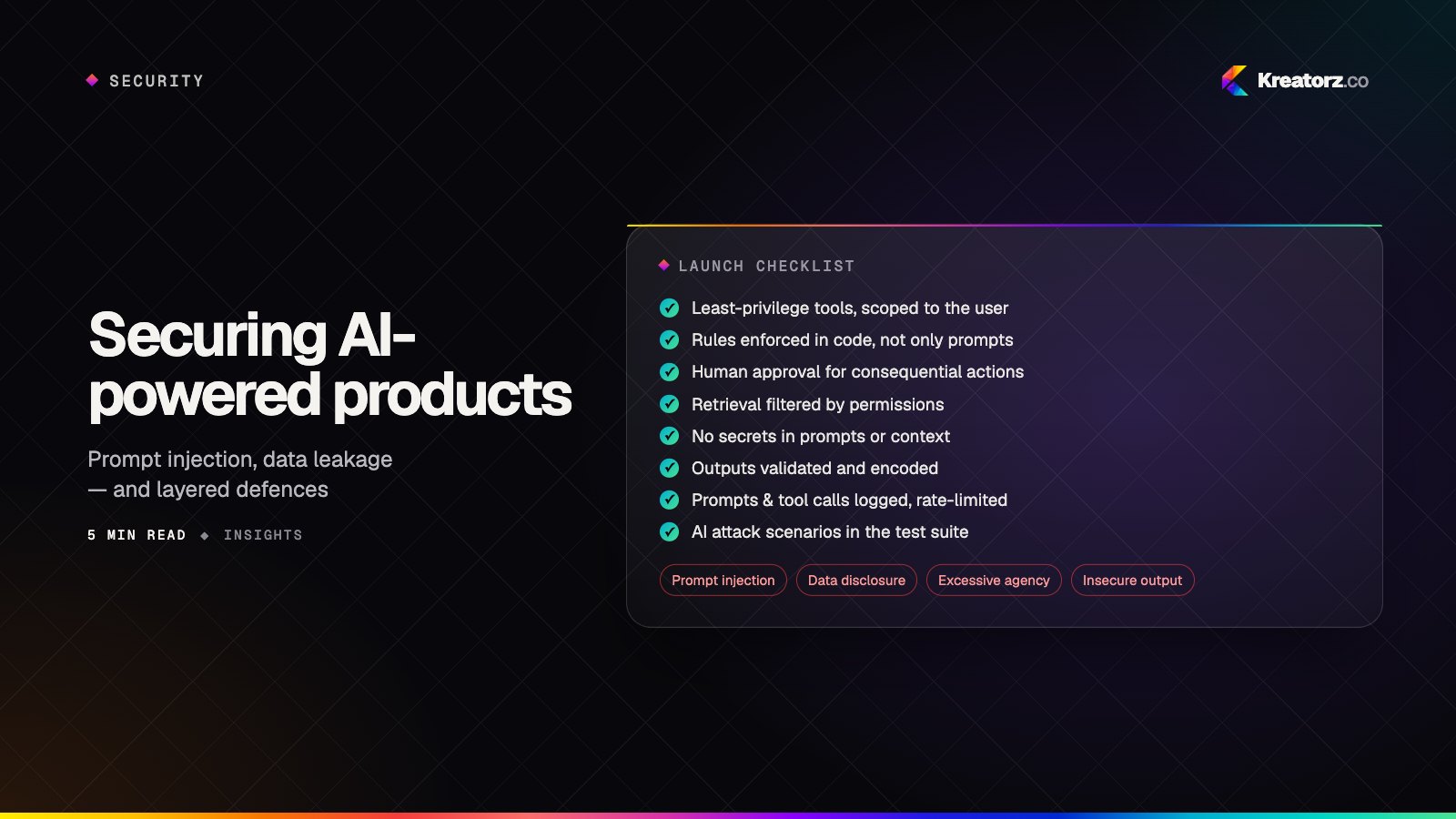
- Data minimisation and on-device processing where it serves the user, including for AI features — see our thinking on securing AI products
- Review readiness — demo accounts, notes for reviewers and guideline checks for payments, sign-in and user-generated content
What we build for Apple devices
- Booking and customer apps that combine catalogues, appointments and reminders — similar in shape to the eyewear catalogue and eye-exam booking platform we created for Rose Optometry.
- Health, fitness and wellbeing apps, including AI-powered pet care like Luna, which gives owners 24/7 veterinary guidance, symptom and image analysis and multi-pet health management.
- Private coaching and wellbeing apps such as Rayna, an AI relationship coach for women with message analysis, hard-conversation prep, daily reflection and personalised growth tracking.
- Subscription and content apps with StoreKit paywalls and offline access.
- Field and enterprise apps for iPad, with offline data and secure sign-in.
- AI-assisted apps with on-device intelligence and server-side models working together — see AI app development.
How we deliver iOS apps
- Discovery — users, goals, devices to support and Apple frameworks involved.
- Design — flows and interfaces that follow Apple's Human Interface Guidelines while still expressing your brand.
- Technical plan — architecture, minimum iOS version, data storage, backend and third-party services.
- Build in sprints — TestFlight builds every one to two weeks, demoed weekly.
- Quality and accessibility — automated tests, VoiceOver checks, Dynamic Type and testing on physical devices.
- Submission — App Store Connect set-up, metadata, privacy details and review management.
- Ongoing care — annual iOS updates, new device sizes and continuous improvements.
Why Kreatorz for iOS app development
- Native specialists inside a wider product team. Swift engineers work alongside designers, backend developers and QA, so the whole product moves together.
- Cross-platform perspective. Because we also build for Android and cross-platform, our recommendation to go native is never a default — it is a reasoned choice.
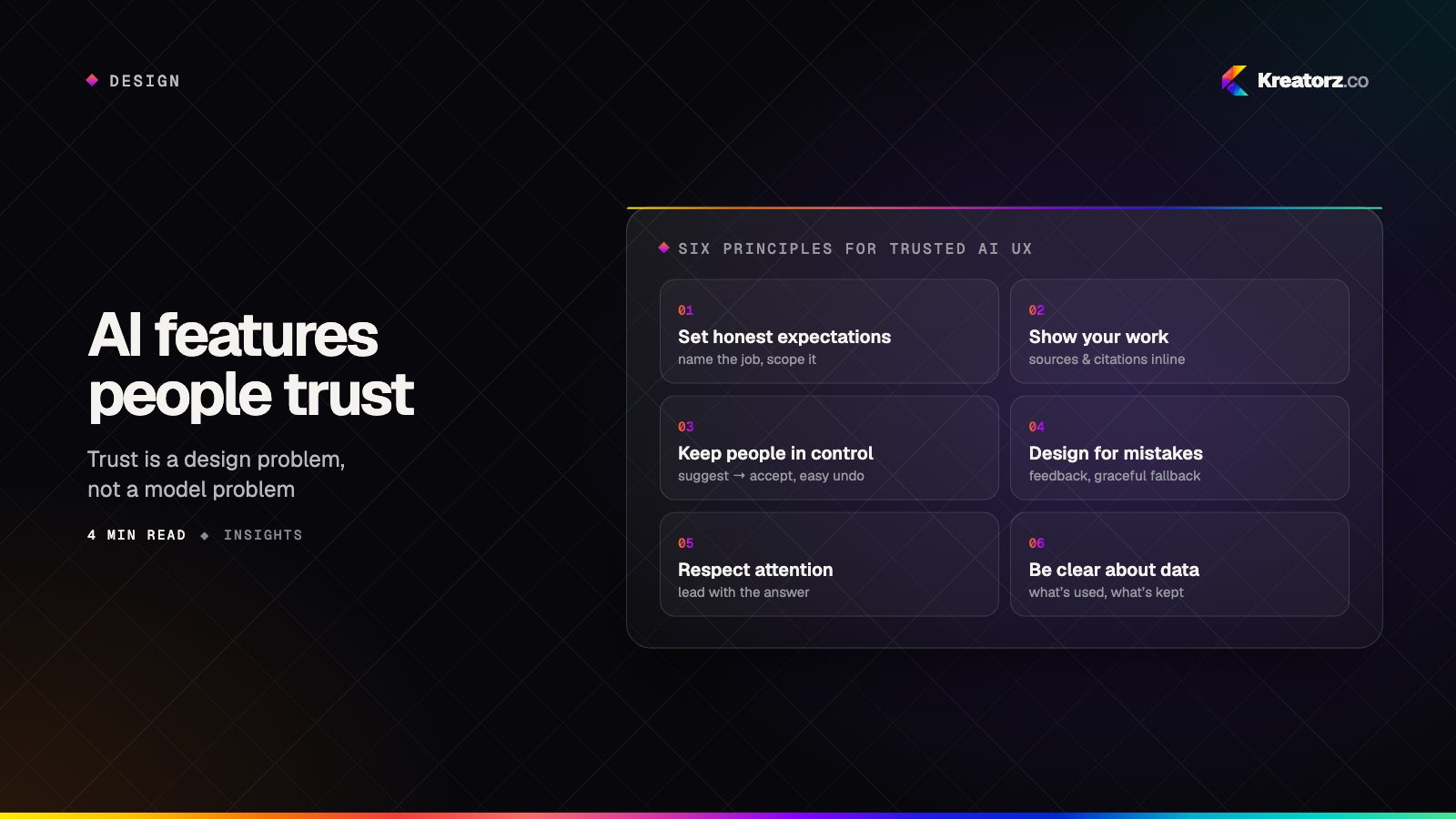
- AI built in responsibly. Recognised with the Global AI Impact Award (Global Image Awards Middle East, Riyadh 2026), with a focus on AI features people trust.
- Transparent process. Weekly demos, a shared backlog and direct access to the engineers doing the work.
- Full ownership. Your Apple Developer account, code and designs are yours from day one.
- Global reach. Teams in the United States, Canada and Pakistan serve clients worldwide. Ready to start? Contact us.